
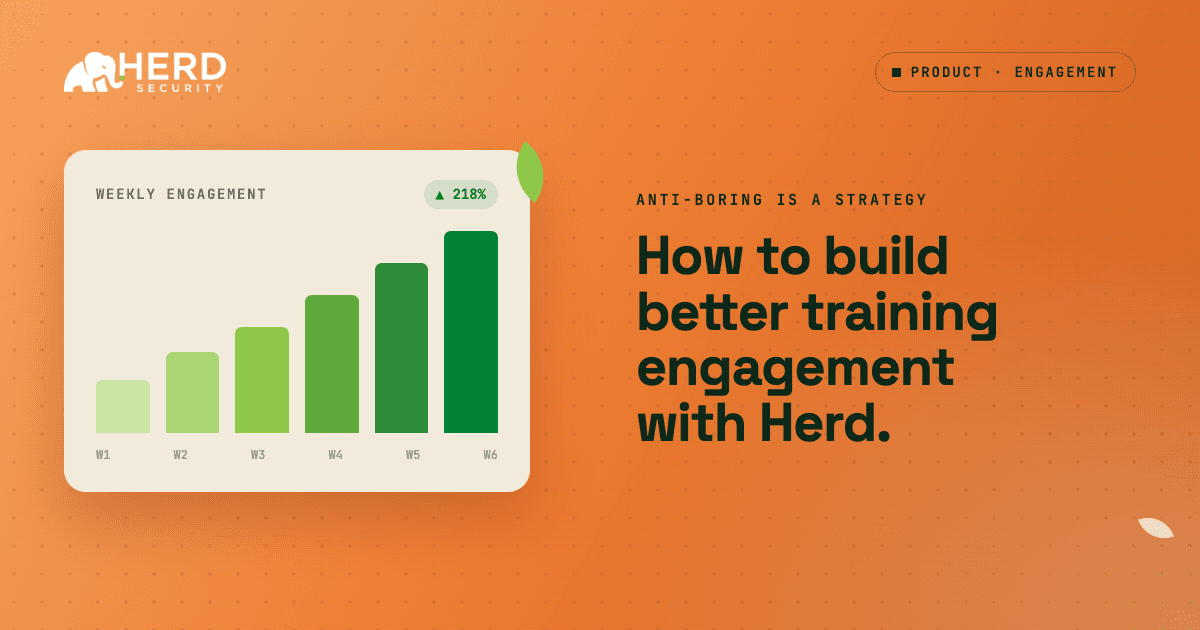
This guide runs through practical steps to raise engagement in on-going security trainings.
The Problem: Many users aren’t used to ongoing security training. Their first thoughts of doing a training daily, weekly, or monthly are probably negative.
How to: This is how you can change that narrative while maintaining a high level of risk awareness and full security training compliance.
Why does microlearning improve training engagement?
Microlearning improves knowledge retention by 20% and drives roughly 50% more engagement right off the bat. In other words, by simply shifting to any microtraining format, you have already given yourself a 70% chance at a better security training program.
How To Do this:
- Break topics down into 30 second to 1 minute trainings
- Use multiple training types: video, audio, conversational ai, etc.
- Make it accessible in multiple tools
Touching on that last bullet, traditional learning management systems (LMS) can only be accessed in one place. Limiting the capacity to be used on a normal basis. By extending reach into Slack/Teams, web logins, mobile, etc. You give employees the opportunity to learn the way they want, when they want.
The Best Way To Start In Herd:
- Go to Herd AI and prompt a topic into a training.
“Build me a training about safely using a chatbot LLM”
- A micro-lesson will populate in seconds.
- Send it to your users.
How do you tailor security training to each role?
People lean in when training clearly connects to the decisions they make every day.
Start by segmenting your users into a few high-impact groups based on risk and behavior (who clicks, who reports, who has sensitive access), not just job title. In Herd, this can be done by creating Herd groups based on existing user attributes (department, role, etc) or by importing groups from your identity provider (Okta, Azure AD, Google Workspace).
Then decide what each group actually sees and does.
For each group, answer: “What kinds of attacks are most likely to hit them, and what mistakes would hurt us the most?”
For example:
- Finance users might see more invoice fraud, vendor impersonation, and payment redirect scenarios
- Engineers/IT might see more access abuse, OAuth consent, and technical phishing
- Executives might see spear-phishing, urgent requests, and data handling
From there, build targeted tracks instead of assigning one universal program:
- For Finance: create modules and simulations that use invoice, vendor, and payment language.
- For Engineering/IT: use examples that reference their tools (GitHub, cloud consoles, admin panels) and technical access.
- For Executives: write shorter, story‑driven examples that mimic real “from the CEO” or “from Legal/Finance” requests.
Lastly, assign and iterate
- Assign each role the track built for them.
- After a month or a quarter, look at which simulations they failed or reported, then swap in new content that targets the gaps you see.
Here’s a Herd Example:
You see in your phishing report that the Finance group is mostly clicking on invoice-themed phishing emails from “vendors”. Here’s how to respond:
Create a training module on invoice fraud or vendor payment scams with Herd AI by specifically asking it to pull from a sample or a simulation that you’ve run.
Build a training for the finance team that corresponds to the information that we’ve seen about them clicking on fake invoice links.
Start the training with a message about it’s relevance.
For example: “We’ve recently seen several fake invoice emails targeting Finance. This quick training will walk you through how to spot scams and fake payment requests”.
This creates a tight feedback loop: Phishing simulation → Results → Finance-specific training that uses the same kind of fake invoice language and screenshot → improved behavior on the next round.
Why does immediate feedback improve training completion?
Motivation is based off of the dopamine response, triggering a reward or learning experience in the brain. We recommend setting up immediate feedback, whether positive or constructive.
Some examples:
- A user completes a training, it gets announced in a team channel.
- They add points to a leaderboard in Slack.
- They successfully reported a phishing simulation, they get a message in Teams.
Completion and behavior change both improve when users can see how they’re doing and feel good about progress.
Easy steps in Herd:
- Use multiple choice questions within trainings. These dynamically share whether questions are correct or incorrect.
- Use leaderboards within Slack, they can be displayed via Slack Canvas for teams.
Conclusion
These frameworks are the start of building secure behavior across an organization, while maintaining the compliance needed to pass security audits. Learn more by signing up for a free trial account.